Showing posts with label Textures. Show all posts

Sunday, October 13, 2013

10.13_lgtex_1_020

This is the first new content I've done in three months. I've been on doctor's orders to avoid "hobby activities that require use of my hands."

I'm here with five large textures free for any creative use.  Usual rules apply. Read the full TOU here


I'm trying something new. Normally, I offer special exclusive packs and bonus content only for supporters of my blog. This time, as a test, I'm going to open up the opportunity for bonus content to anyone who would like to donate, and I'm trying out DA's premium content feature to provide you with an instant download.  (Sorry, for now you have to be a DA member to get the premium content instantly.  Otherwise you can donate via Paypal and I will email you as usual.)


Gallery of the freebies and information on donation options are after the jump.


Monday, May 20, 2013

5.13_colorgrungebgs

Had a ton of trouble uploading these on Flickr yesterday. I'm wondering if it's because they've suddenly changed their site format and pricing.

I think it looks awful now and will take forever to load on slower connections.

I'll keep the account paid up as long as I can, but when it goes I guess there just won't be galleries here for a while.

Anyway. I made these to be used as backgrounds, but do as you like with them. If you can find a use for them as a layer or an overlay, be my guest.

Gallery after the jump.

Thursday, May 9, 2013

5.13 Supporter Exclusives

I've had some awesomely generous donations since I hurt my arm in January, and I've been feeling bad for not offering more Supporter exclusives.  Hopefully this set will be useful to you.  

I'm looking into ways to post password protected zips again.  I had a lot of downloads on the protected files from users who apparently didn't understand that the Supporter Exclusives are...well...exclusive.  For now the best I can do is ask you to comment if you'd like this set and I'll send you a one-time link.

Brushes used in this set are from bittbox.com and designerfied.com.  Base paper texture is from lostandtaken.com.

Site Supporters, comment for download links
You'll have them within 48 hours.

Larger Previews after the jump.

Friday, May 3, 2013

Free MyMemories Suite Giveaway Bonus Prize

So, as  I mentioned yesterday, I'm hosting a giveaway for MyMemories Suite Digital Scrapbook Software.

One thing I don't like about giveaways is that I never win anything.  So I decided to make this giveaway a little nicer by offering a bonus.

This set of background textures is huge at 3600x3600 px and I tried to give it a nice variety of different styles so that it will be useful to everyone.


Larger Previews After the Jump.

Tuesday, April 30, 2013

4.13_Border Mask Samples


Wow. It's almost the end of the month and I forgot I had to post these. These are samples for a set of border masks I made for PSP-works.deviantart.com.  There are a couple without borders too so you can see what the paper would look like by itself.

These textures are free for non-commercial use.
Please credit PSP-works.deviantart.com.

Zip file is available for site supporters on request.


Gradients used are by Rose F and Crumbling Walls; Paper texture in the red samples is by EFstig.deviantart.com

RBF_psp-works_bordermask_samples_012RBF_psp-works_bordermask_samples_001RBF_psp-works_bordermask_samples_002RBF_psp-works_bordermask_samples_003RBF_psp-works_bordermask_samples_004RBF_psp-works_bordermask_samples_005
RBF_psp-works_bordermask_samples_006RBF_psp-works_bordermask_samples_007RBF_psp-works_bordermask_samples_008RBF_psp-works_bordermask_samples_009RBF_psp-works_bordermask_samples_010RBF_psp-works_bordermask_samples_010b
RBF_psp-works_bordermask_samples_011

4.13_PSP_Works Samples, a set on Flickr.

Saturday, April 20, 2013

4.13_random grunge

Some random grunge experiments that have (mostly) been sitting on my computer for a while.  Some of these were done with brushes, some were done with standard Paint Shop Pro effects.  The gradients used are mine.  This set is kind of small, only 1000x1000 but they ought to still be useful for web graphics.

Brushes used were from
Bittbox.com and Webdesignerlab.com


Monday, April 15, 2013

4.13_A4 Grungy Paper Textures

Here's a small set of paper textures I made as part of my recent comparison experiments between Photoshop and Paint Shop Pro. Made with the same brushes, but I tried to do something unique with each.


Gallery below via my flickr account.

Saturday, April 13, 2013

4.13_fun stripe brush samples

These are samples this brush set. I really liked them, so I decided to make them available separately.  The style is similar to some of the collage stuff I've done before, but I'm experimenting with different structures and went more with stripes and lines than with shapes.

They're also a little different because they were made partly in Photoshop (the backgrounds) and partly in Paint Shop Pro (the stripe and accent brushes.)

As usual, these are free for you to use, but you must do something creative with them and not redistribute them as is or cut them and upload them in pieces.


Wednesday, March 27, 2013

PS and PSP Comparison Experiments: Post 5

I cheated.  All of these were made in both Photoshop and Paint Shop Pro.

I intended to make some in both programs, but I found myself continually switching from one to the other for various effects and features.

Shape collages are my absolute favorite kind of resource to make--at least in Paint Shop Pro.  I had a hard time getting the hang of them in Photoshop, but I think that once I've done it a few more times, I will enjoy it better.

Main points:

Clipping masks and selection masks make it much easier to add effects where you want them in Photoshop.  Working with layer masks in Paint Shop Pro is possible.  The "mask from image" feature will accomplish the same things.  It's more cumbersome and there's not as much flexibility.

Paint Shop Pro has a better variety of custom shapes and artistic effects--although Photoshop users will argue that it lacks some obvious and essential ones for this kind of design.  I agree.

I found that adjustments to color and tone were easier to accomplish in Photoshop.  Again, PSP has most of these features are available in Paint Shop Pro, but they're harder to work with.   (X5 seems to be lacking a color balance tool, but that's existed in earlier versions and I would guess that it's just been re-named? I've gotten by with using PSP 8 for that or by using color layers.  That's not going to be as effective for photo retouching, but it's perfectly fine for these.)

The last two textures were made from this guide.  It's a little different from the way I normally make these, but it was written for Photoshop, so I decided to try it out.

Brushes used were by me, colorburned.com, thinkdesignblog.com or designerfied.com. Pixel patterns are by Roula33 @ Deviantart.


Thursday, March 21, 2013

PSP and PS Comparison Works: Post 2

Here's Part 2 of my ongoing feature comparison between PSP and Photoshop. It's a
little different because the results have nothing in common.
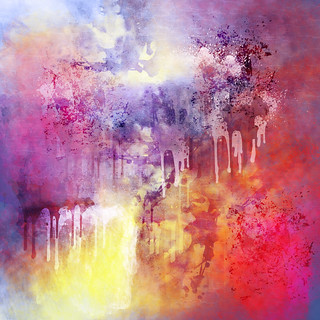
RBF_PS-PSP_011

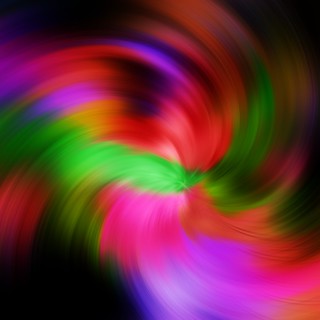
RBF_PS-PSP_010_colorswirl

The first texture is extremely high res (6000x6000 px). Photoshop is the hands-down winner when working with resolutions like that. Most of the brushes I used for texture #1 were created in CS4, I believe--the max size was 2500 px. Two sets were created in CS6. They were around 4600- 4800 px, which is a little smaller than the max brush size allowed in CS6.

I gave an honest try, for about an hour, working in Paint Shop Pro to create a similar design. Unfortunately, the max brush size there is 999 px, which turned a fun design into something tedious and annoying. I finally gave up.

This may not be a deal breaker for you if you regularly work on web-based designs or digital scrapbooking. There's really nothing that you'd need to work on such a large canvas for. 999x999 is adequate for most of those projects.

But I was really looking forward to getting to use some of my photoshop brushes at a higher resolution--which you may need to do when designing for print. I also wanted to try out some of the more advanced brush settings in Photoshop.

I was pretty impressed by those. This texture was a blast to make. One shortcoming in the PS brush capabilities is that I can't find a way to be able to paint with gradients, which can be done in PSP quite easily. It may be there and I just don't know yet. It's only my third day of working with Photoshop.

That's where the second texture came from. And, once I was finished painting with my gradients in Paint Shop Pro for texture number 2, I couldn't find a way to duplicate the effects I added. I spent a while working with Photoshop's twirl and radial blur filters, but the results weren't the same.

So, it looks like the two programs are still tied; in some cases, Photoshop is better for the task, and in other cases, Paint Shop Pro outshines it.


Monday, March 18, 2013

PSP and PS Comparison Works: Post 1

I got my new computer this week, and I decided to sign up for a trial of Adobe Creative Cloud.  I've been wanting to see for myself where the differences are between Paint Shop Pro and Photoshop and which performs better at the things I do.  So far, my experiences have been roughly even.

I used the same methods and similar materials to create the backgrounds below:

RBF_PS-PSP_004-PSP RBF_PS-PSP_005-PS

The first was made in PSP with one of my favorite methods.  The second, which I do like, was an attempt to duplicate the technique in PS.  It's a cool background, but really not what I had been trying to do.

Then there are these:

RBF_PS-PSP_001-PS RBF_PS-PSP_003-PSP

For the first one, I was just experimenting with Photoshop to see what I could come up with and how the various settings work.  The second one is a totally unsuccessful attempt to duplicate it in Paint Shop Pro with the same methods and as close as I could get to the same materials.  I like it, but it's definitely not the effect I was trying to achieve.  Photoshop's blend mode options and brush settings are a lot more varied.  (I won't say "better" because I haven't used it enough to make a qualified judgement, but there are just a lot more options to work with.)

As a side note, I'm sure could re-create it if I took more time and did it another way, but I was interested in seeing what the result would be if I did everything the same way.


Friday, March 8, 2013

3.13_high res plasma/cloud textures

I made these primarily for Paint Shop Pro users, but anyone is free to take and use them.

I have used PSP for years and mostly find that it meets my needs. One of the biggest disappointments I have with it is the lack of ability to easily render clouds, which are useful for a lot of my texture resources.

I made a large selection of high res renders in GIMP for an upcoming project. Here are a few of them for your use.


More below, including gallery.